F-NORMALIZE Module
The F-NORMALIZE module allows for feature normalization. Normalization can be performed either internally, using statistics from the input Excel file, or externally, using statistics from another set of radiomics data. This module supports various normalization types, including Min-Max normalization, Z-Score normalization, and robust normalization (which removes the median and scales the data based on the quantile range).
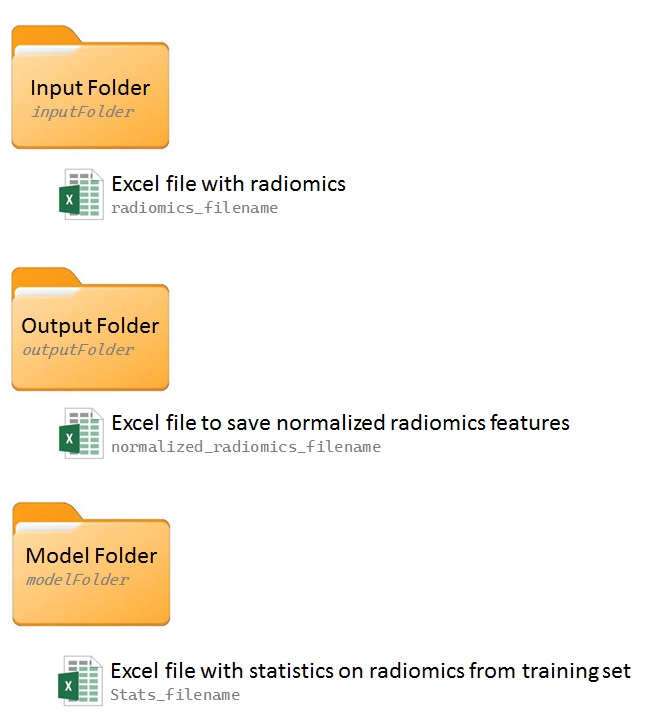
The F-NORMALIZE module utilizes data from an input folder (inputFolder) and saves results in an output folder (outputFolder). If the output folder is not specified, results are saved in the input folder. When using the module in external mode, an additional folder (modelFolder) must be specified, containing files with the necessary statistics for normalization. Refer to the figure below for more details.
Options
The F-NORMALIZE module can be used with the following options:
verbose: Enable or disable verbose mode.
timer: Enable or disable the timer to record execution time.
log: Specify the path to a file for saving logs.
new_log_file: Create a new log file; if a log file with the same name already exists, it will be overwritten.
inputFolder: Path to the input folder.
outputFolder: Path to the output folder.
modelFolder: Path containing data from a previously built model (optional, used with mode: External).
radiomics_filename: Name of the Excel file with radiomics results.
stats_filename: Name of an Excel file with statistics to use for normalization (optional, used with mode: External).
normalized_radiomics_filename: Name of the Excel file created to store normalized radiomics results (default: normalized_radiomics.xlsx).
stratified: Perform normalization using the statistics of each sub_Analysis separately (default: True).
method: Method for feature normalization. Options are MinMax for Min-Max normalization, Z-Score for Z-Score normalization, and RobustScaling for robust normalization. Default: MinMax.
mode: Perform normalization using the radiomics file (Internal, the default) or statistics computed on another radiomics file (External).
Example Usage
The following example demonstrates how to use the F-NORMALIZE module to perform a Z-Score normalization using statistics from an external training dataset:
F-NORMALIZE
{
    inputFolder: /path/to/radiomics_results
    # no output folder specified: saves output in the input folder
    modelFolder: /path/to/radiomics_model
    radiomics_filename: radiomics.xlsx
    normalized_radiomics_filename: normalized_radiomics.xlsx
    stats_filename: radiomics_stats_training.xlsx
    stratified: True
    method: Z-Score
    mode: external
    log: /path/to/logs/F-normalize.log
}